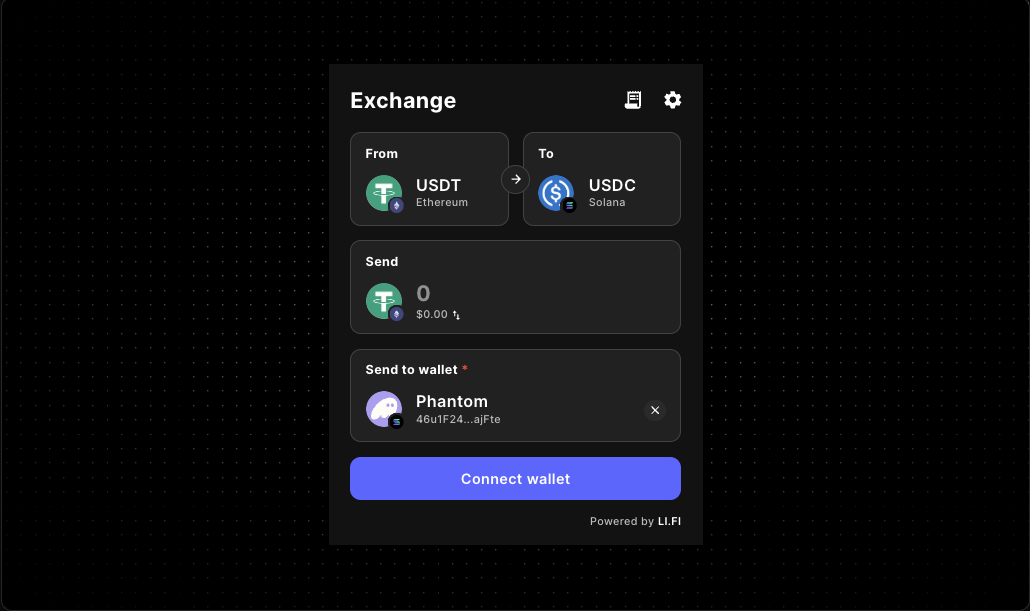
LI.FI Widget Supported Wallets and Routing Guide
Plan LI.FI widget wallet support and routing before implementation hardens them into the product. Review wallet connection models, route scope, chain restrictions, and LI.FI playground validation so your embedded swap or bridge UX feels intentional from the first release.
The live LI.FI Widget component reference captures evaluation intent. This docs route is the decision layer for builders who need to translate that evaluation into wallet-support and routing expectations before publishing a production path.
If the main open question is broader route behavior, continue with the LI.FI Widget Playground Routing Guide. If the biggest blocker is wallet onboarding, pair this page with the LI.FI Widget Wallet Connect Guide.
Who this guide helps
- developers embedding a LI.FI widget inside a React or Next.js product
- teams deciding whether wallet connection should happen at the app level or inside a dedicated widget route
- builders narrowing route scope before launching an embedded swap or bridge flow
- product and engineering teams using a LI.FI playground to validate UX before production rollout
What to decide before you promise wallet support
Where does wallet state live?
Decide whether the page should inherit an existing wallet-aware app shell or support a widget-first connection flow on a dedicated swap or bridge route.
How broad should routing be?
Compare open route exploration against a narrower product-scoped path so the widget matches what the rest of the product actually supports.
What should happen after connection?
Make sure users understand whether they are choosing a route, funding an account, completing onboarding, or moving into a treasury action after the wallet step.
Which constraints belong in version one?
Add chain, token, or fee constraints only when product, support, and operational needs are clear enough to justify them.
Wallet support models that usually work best
App-level wallet connection
Best for
- dashboard or treasury products with existing wallet-aware navigation
- apps that already rely on a shared wallet provider stack
- flows where the widget is one surface inside a broader authenticated session
Watch for
- deep links that bypass assumed wallet state
- refresh or reconnect states that behave differently from the rest of the app
- chain switching that is technically available but not explained by the surrounding flow
Widget-first connection on a dedicated route
Best for
- swap or bridge pages where the widget is the main task
- short evaluation flows where users land directly on the route
- MVP rollouts that need a clear single-purpose page before broader app integration
Watch for
- copy that does not explain why wallet connection is required
- too many route choices before the visitor understands the job of the page
- disconnect, loading, or reconnect states that feel abrupt on smaller screens
Guided onboarding with a narrow route
Best for
- deposit or funding flows with one expected destination
- feature unlock paths that require asset movement first
- products that need a controlled operational step instead of broad exploration
Watch for
- hidden assumptions about which asset or chain users already hold
- unclear next-step messaging after the transfer completes
- restrictions that feel arbitrary because the surrounding page never explains them
Why routing and wallet support should be planned together
A LI.FI widget can render correctly and still create support issues if routing and wallet handling are designed separately. Routing determines how much choice users have. Wallet connection determines how easily they can act on those choices. When those decisions conflict, the widget feels harder than it needs to.
- the widget exposes more chains than the onboarding path supports
- the wallet step appears too early or too late in the page journey
- the route is broad, but the product expects one narrow transfer path
- the widget works in a sandbox but feels cramped in the final layout
- chain switching is technically possible, but the app never explains what happens next
A production-minded lifi widget routing guide helps you avoid that mismatch before deeper implementation begins.
Core routing decisions to make before implementation
Route scope
Keep the first release broad only when users truly benefit from wider chain or asset exploration. If the rest of the product expects one narrow path, the widget should usually mirror that expectation.
Allowed chains
Restrict chains when onboarding, support, treasury, or operational constraints require a smaller set of destinations. Leave them broader when exploration is genuinely part of the page promise.
Allowed tokens
Tighten token selection when the next step in the product depends on one asset path rather than letting users branch into unrelated flows.
Wallet timing
Test disconnected, reconnect, refresh, and direct-entry states so wallet support feels intentional instead of bolted on after the widget already renders.
Layout fit
Validate whether the widget needs a wide destination page, a guided onboarding surface, or a narrower dashboard panel before locking the route into production.
Fee logic
Add fee presentation after route clarity and support expectations are stable. Monetization decisions are easier to review when they do not mask routing problems.
A practical LI.FI playground workflow before production
1. Prove the smallest possible embed works
Render the widget in the real client-side container first and confirm the baseline interaction is stable before you narrow route scope or add more business logic.
2. Test wallet timing in context
Compare no-wallet, previously connected, refreshed, and direct-entry states so the page explains what happens before the first route choice is made.
3. Compare broad and narrow routing
Run one pass with wider route freedom, then test a product-scoped version. That contrast shows whether restrictions solve a real UX problem or just hide complexity.
4. Re-test inside the real product shell
A route that feels acceptable in isolation can fail inside a dashboard, modal, tabbed layout, or onboarding sequence. Re-test in the shell users will actually see.
5. Move into the right implementation doc
Once the routing model feels right, continue with the LI.FI widget docs, embed guide, wallet connect guide, or broader LI.FI playground flow depending on what still needs work.
What to verify before calling the page production-ready
Wallet-state checks
- confirm the disconnected state is understandable
- confirm reconnect and refresh behavior matches the intended wallet model
- confirm direct links into the widget route do not rely on hidden assumptions
- confirm chain-switch expectations are visible in the page context
Routing checks
- confirm the route scope matches the actual product promise
- confirm allowed chains are not broader than support expectations
- confirm allowed tokens reflect the next step in the user journey
- confirm error states still make sense for first-time users
Page checks
- confirm the widget fits the real production container
- confirm compact versus wide layout was chosen intentionally
- confirm surrounding copy explains what users are doing and why
- confirm the page still feels coherent before and after wallet connection
Release checks
- verify any named supported-wallet claims before publishing them
- verify any chain-specific or token-specific promises
- review fee presentation separately from the base route
- confirm adjacent docs point users to the right next step
How this guide fits the existing Gizmolab LI.FI docs flow
Use this route as the decision layer between initial evaluation and implementation hardening. It does not replace the broader docs surface. It helps teams decide how wallet support and routing should behave before implementation locks those choices in.
- LI.FI Widget component reference for the live component surface and top-level evaluation
- LI.FI Widget docs for the broader component implementation overview
- LI.FI Widget Playground Routing Guide for route-scope and page-fit validation
- LI.FI Widget Wallet Connect Guide for wallet-aware onboarding decisions
- LiFi Playground Guide for broader playground setup and incremental testing
- LI.FI Widget Error Handling Guide for wallet, routing, and execution recovery patterns after route planning
- LI.FI Widget embed guide for practical embedding in React or Next.js
FAQ
What does LI.FI widget wallet support usually mean in practice?
It usually means the widget participates in the wallet connection model your app already uses, or supports a widget-first flow on a dedicated route. For planning, the important questions are wallet timing, reconnect behavior, chain switching, and whether the route scope matches the rest of the product.
Should I publish a named supported-wallet list right away?
Only when the list has been verified against the provider stack and the production implementation you plan to ship. If that verification has not happened yet, describe wallet support more carefully and avoid overclaiming named wallet compatibility.
When is widget-first connection the better choice?
A widget-first flow is usually easiest on a dedicated swap or bridge page where the visitor intent is obvious and wallet connection is part of the main task.
When should wallet connection happen before the widget loads?
Use app-level connection when the product already has wallet-aware navigation, dashboard state, onboarding, or treasury functionality. In that case, the widget usually works best as one surface inside the broader wallet model.
How do I know whether my route is too broad?
A route is usually too broad when users see many valid widget options that do not help them complete the real job of the page. If the next product step assumes one destination chain, one asset path, or one approved flow, the widget should probably be narrower too.
Why use a LI.FI playground before implementation?
A LI.FI playground helps you compare route scope, wallet timing, and layout fit before you lock those decisions into production code. It is most useful when you treat it as a decision tool, not only as a render test.
Does this replace the LI.FI widget implementation docs?
No. This page helps you decide how wallet support and routing should behave. The adjacent implementation docs still matter for setup, embed work, and wallet-specific integration details.
Continue from planning into implementation
Use a LI.FI playground to rule out bad wallet-support and routing decisions early. Start with the smallest viable embed, decide whether the widget is a destination or a step, then narrow route scope only where the product actually needs it.
- Explore the LI.FI Widget component reference
- Continue with the LI.FI Widget docs
- Refine route testing in the LI.FI Widget Playground Routing Guide
- Refine wallet onboarding in the LI.FI Widget Wallet Connect Guide
"One of the only full-stack Web3 component libraries i've seen in the space so far. Ten out of ten recommended. Saved me a ton of time. Can't wait to see what templates they release next."
Samy
Side projects builder