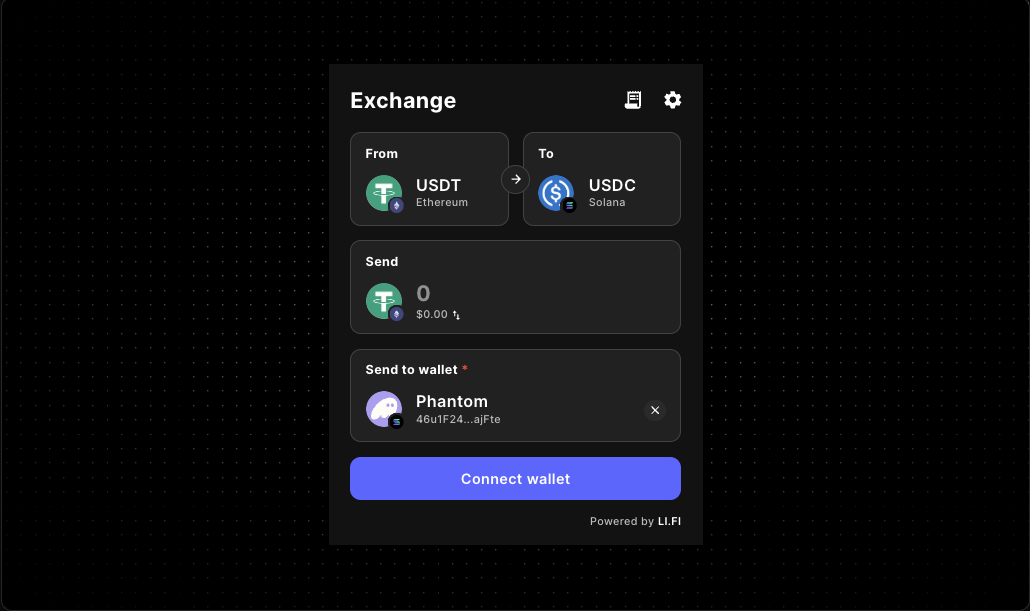
LI.FI Widget Playground Routing Guide
Test LI.FI widget routing decisions in a playground before production integration hardens them. Review route scope, layout fit, wallet timing, and practical implementation tradeoffs so your embedded swap or bridge flow feels intentional from the start.
The existing LI.FI Widget component reference captures evaluation intent. This docs route focuses on the routing decisions that shape how the widget behaves once it moves from a quick test surface into a real product flow.
If you want a broader evaluation workflow, continue with the LiFi Playground Guide. If the main blocker is wallet timing, pair this page with the LiFi Widget Wallet Connect Guide.
Who this guide helps
- teams embedding a swap or bridge widget inside a React or Next.js product
- builders deciding whether the widget should be a destination page or a narrower step in a larger flow
- developers who need to validate routing behavior before committing to branding, fee logic, or onboarding copy
Why routing deserves its own evaluation pass
A LI.FI widget can render correctly and still feel wrong in production if the routing experience is too broad, too hidden, or disconnected from the job of the page.
- the widget exposes more route choice than the product actually supports
- the page layout makes swaps or bridging feel secondary when they are the main task
- wallet connection happens in the wrong place for the surrounding flow
- teams test theme changes, route restrictions, and monetization at the same time, which slows debugging
- a playground proves the widget loads but does not answer whether the final route should stay broad or become product-scoped
For most builders, the real question is not only whether the widget can be embedded. It is whether the routing experience matches the product promise users see on the page.
- base embed viability in the intended surface
- broad versus product-scoped route choice
- whether the widget is a destination or a supporting step
What a LI.FI playground helps you validate
Layout fit
Check whether the widget belongs in a dedicated swap page, an onboarding step, a dashboard action panel, or a compact utility surface. A routing flow that works in a wide destination layout can feel noisy in a narrow panel.
Route scope
Test whether users benefit from open route choice or whether the product should narrow chains, tokens, and transaction defaults around one clearer job.
Wallet timing
Compare widget-first interaction, app-level wallet connection, and guided onboarding so route decisions match the real flow users will follow.
UI context
Validate the widget in a realistic container so you catch clipped layouts, confusing hierarchy, awkward scroll behavior, or too many competing calls to action.
Core routing capabilities to review before implementation
The Gizmolab LI.FI widget docs already expose the building blocks for a more controlled routing experience. The goal is to test them in the right order instead of changing layout, route scope, wallet behavior, and monetization all at once.
allowedChains
Narrow route scope when users should reach only the chains your product actually supports.
allowedTokens
Keep the transfer path aligned with the assets that matter to the next step in the product.
transactionSettings
Shape the experience when the route should feel more guided than exploratory.
variant / subvariant
Match the widget layout to whether the route is a destination page, side panel, or embedded step.
appearance / theme
Keep the routing surface visually aligned with the rest of the UI once the base path is stable.
walletManagement
Review wallet behavior after the route model is understood, especially when onboarding and routing are tightly linked.
fee / feeConfig
Add monetization logic only after route clarity, support expectations, and disclosure needs are understood.
WidgetConfig
Centralize route defaults when several pages or flows should inherit the same LI.FI widget baseline.
Example: route scope with a shared config
Start broad enough to understand the interaction, then narrow chains, tokens, and transaction behavior only where the product needs tighter guidance.
A practical LI.FI widget playground routing workflow
1. Start with the smallest possible embed
Render the widget in the real client-side container first. Confirm the spacing, layering, and baseline interaction before making routing decisions.
2. Decide whether the widget is a destination or a step
A dedicated swap page usually needs more context and room. A widget inside onboarding or a dashboard action usually benefits from narrower scope and fewer choices.
3. Test an unrestricted version first
Understand how the widget behaves with broader route freedom before you tighten chains, tokens, or transaction defaults. That baseline makes later tradeoffs easier to read.
4. Add route constraints one layer at a time
Apply chain restrictions, token restrictions, transaction defaults, theme alignment, wallet behavior, and monetization in that order so routing questions stay separate from styling and business logic.
5. Re-test inside the real product shell
Validate the scoped route inside the actual page width, navigation shell, and wallet/provider setup you expect to use later.
6. Move into implementation docs
Once the routing model feels right, continue into the LI.FI widget docs, component reference, wallet connect guide, or broader playground guide depending on what still needs work.
If you need the broader setup path first, use the LI.FI Widget embed guide.
Once the routing model feels right, move into the LI.FI Widget docs, the component reference, or the wallet connect guide depending on what still needs work.
Routing patterns that usually work well
Dedicated swap or bridge page
Why it works
- users understand the purpose of the page quickly
- a wider layout gives routing choices more room
- surrounding copy can explain route scope and expected outcomes
Watch for
- overloading the page with too many options in version one
- adding fees before route clarity is proven
- letting the page read like a generic component demo instead of a real product surface
Guided onboarding route
Why it works
- route scope can stay narrow and intentional
- the widget becomes part of a larger job instead of a separate exploration tool
- support expectations stay closer to the actual product promise
Watch for
- hidden assumptions about wallet state
- unclear next-step messaging after the route completes
- broad token or chain options that conflict with the onboarding path
Embedded dashboard action
Why it works
- users stay inside the product context they already trust
- the route can be scoped to the app’s operational needs
- the widget supports a concrete action instead of asking for a separate session
Watch for
- cramped layouts
- ambiguous hierarchy between the widget and surrounding controls
- treating a high-stakes transfer surface like a minor card component
How this guide fits the existing Gizmolab LI.FI docs flow
This route is most useful between evaluation and implementation. It does not replace the broader docs surface. It helps teams decide how routing should behave before implementation hardens that decision.
- LI.FI Widget component reference for the live component surface and top-level evaluation
- LiFi Playground Guide for broader playground setup and incremental testing
- LI.FI Widget embed guide for practical embedding in React or Next.js
- LiFi Widget Wallet Connect Guide for wallet-aware onboarding decisions
- Docs introduction if you are still orienting around the broader docs system
A production-minded routing checklist
- confirm the widget works in the real page container
- decide whether the widget is a destination or a step
- test an unrestricted route before narrowing scope
- restrict chains only when the product requires it
- restrict tokens only when the product requires it
- align supporting copy with the actual route scope
- validate wallet timing in the same flow where routing happens
- review fee logic only after the base route is stable
- keep the first release narrower if support expectations are still forming
FAQ
What is a LI.FI widget routing guide?
A LI.FI widget routing guide helps developers evaluate how the widget should behave inside a real product before full integration. It focuses on route scope, page fit, wallet timing, and implementation tradeoffs rather than only listing props.
Is this different from a LiFi playground guide?
Yes. A playground guide is broader and helps you evaluate the widget in a test environment. This routing guide is narrower and focuses on how route choice, route restrictions, and flow design affect implementation decisions.
When should I keep the route broad?
Keep the route broad when the widget is the main destination and your product intentionally supports wider exploration across chains or assets.
When should I narrow the route?
Narrow the route when the widget supports onboarding, deposits, treasury actions, or another flow where extra choices would create friction or increase support burden.
Should I configure chains and tokens before testing layout?
Usually not. Start with a simple baseline so you can confirm the widget behaves correctly in the intended container. Add route constraints after the base render is stable.
Does this replace the LI.FI widget integration docs?
No. This page works best as the decision layer before deeper implementation. Use it together with the LI.FI widget docs and the LI.FI widget embed guide.
What if wallet connection is my main concern?
Go next to the LiFi Widget Wallet Connect Guide. Routing and wallet timing are closely related, but wallet onboarding usually deserves its own implementation pass.
Can I use this workflow in Next.js or React?
Yes. The adjacent Gizmolab docs already frame the LI.FI widget for React and Next.js integration. This guide focuses on the routing decisions you should validate before those implementation details are finalized.
Continue from routing validation to implementation
A LI.FI playground is most valuable when it helps you rule out bad routing decisions early. Start with a minimal embed, decide whether the widget is a destination or a step, then narrow route scope only where the product needs it.
- Explore the LI.FI Widget component reference
- Continue with the LI.FI Widget embed guide
- Review the LiFi Playground Guide
- Refine wallet flow decisions in the LiFi Widget Wallet Connect Guide
"One of the only full-stack Web3 component libraries i've seen in the space so far. Ten out of ten recommended. Saved me a ton of time. Can't wait to see what templates they release next."
Samy
Side projects builder