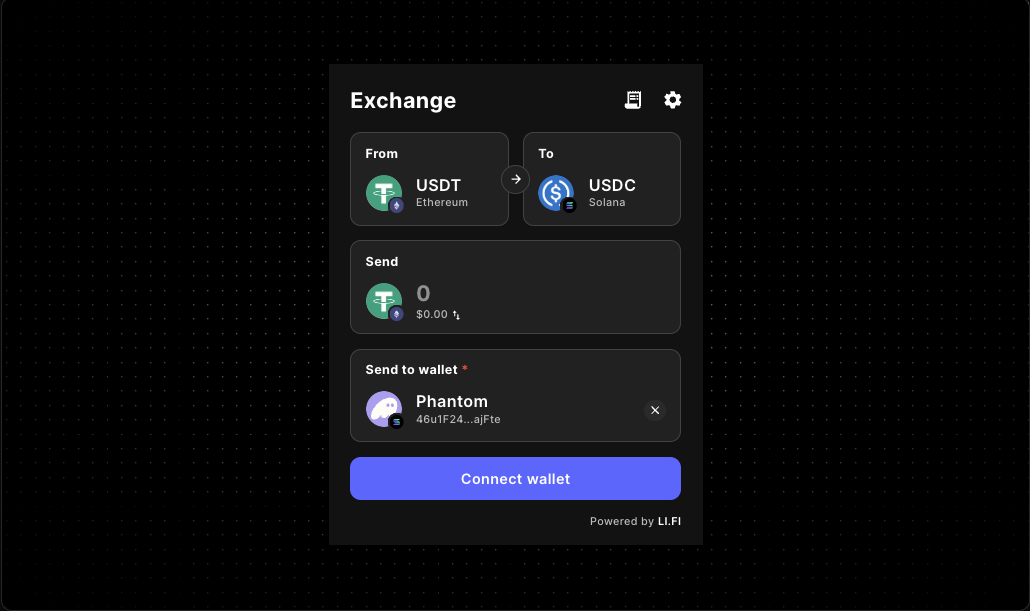
LiFi Widget Event Hooks Guide
Subscribe to LiFi widget events so your host product can react to route selection, execution progress, completion, failure, and support signals without inventing unsupported callback props.
The widget already manages route discovery and execution inside the embedded UI. Event hooks are what let the rest of your app understand what is happening in that flow so you can drive host-side analytics, progress banners, success states, retry handling, and product-aware support paths.
If you still need the base component setup, start with the LiFi widget docs or the LiFi widget integration guide. This page is for teams who already have the widget in play and now need reliable host-side reactions around the embedded swap UX.
Why event hooks matter
Event hooks are most useful when the widget is only one part of a larger flow such as onboarding, wallet funding, treasury actions, or a bridge-and-swap surface inside a broader product. They help your host app observe what users are doing without re-implementing the widget’s own internal execution logic.
- show page-level progress outside the widget
- measure route selection versus execution completion
- record support intent and recovery behavior
- sync product state when inputs or settings change
- understand where users drop off before a swap finishes
Important implementation note
In this repo, the local LiFiWidget wrapper is configuration-focused. It exposes props such as integrator, config, variant, subvariant, appearance, fee, theme, allowedChains, allowedTokens, transactionSettings, and walletManagement.
That means event handling should live in host code beside the widget, using the package exports such as widgetEvents, useWidgetEvents, and the WidgetEvent enum, rather than a made-up onEvent or callback prop on the wrapper itself.
Core LiFi widget events to know
Route execution lifecycle
Start here if you want host-side analytics, progress banners, success UI, or retry handling around an embedded swap flow.
RouteExecutionStartedRouteExecutionUpdatedRouteExecutionCompletedRouteExecutionFailed
Route discovery and choice
Use these when you want to measure whether users reached a route-ready state and which route they chose before execution began.
AvailableRoutesRouteSelected
Form and token input
These events help the host app understand what the user is configuring before a swap runs.
FormFieldChangedSourceChainTokenSelectedDestinationChainTokenSelectedTokenSearch
Widget UI and support signals
Use these when embedded widget behavior should influence layout, product state, or support workflows outside the widget itself.
PageEnteredWidgetExpandedSettingUpdatedSendToWalletToggledContactSupport
Quick start: subscribe with widgetEvents.on
The simplest integration pattern is to subscribe when your host component mounts and clean up on unmount. This keeps the widget UI isolated while letting the surrounding page react to important moments.
Host-side analytics and state handling
Route execution events are usually the first ones worth wiring because they map directly to user progress and operational visibility. A host application can keep its own status banner, analytics, or success state in sync without trying to control the widget from the outside.
When each event group is most useful
Route execution lifecycle
Start with RouteExecutionStarted, RouteExecutionUpdated, RouteExecutionCompleted, and RouteExecutionFailed when you need host-side progress, success messaging, retry UX, or telemetry.
Route discovery and choice
Use AvailableRoutes and RouteSelected to learn whether users reached a route-ready state and which route they chose before execution began.
Form and token input
Events such as FormFieldChanged, SourceChainTokenSelected, DestinationChainTokenSelected, and TokenSearch help when the surrounding product needs awareness of what a user is configuring.
Widget UI and support
PageEntered, WidgetExpanded, SettingUpdated, SendToWalletToggled, and ContactSupport are useful when embedded widget behavior should influence layout, support flows, or product state outside the swap itself.
Best practices
- Keep event handlers lightweight so host-side work does not interfere with the widget flow.
- Always pair widgetEvents.on with widgetEvents.off to avoid duplicate listeners after remounts or client-side navigation.
- Treat RouteExecutionUpdated as progress, not as final success; final state belongs to RouteExecutionCompleted or RouteExecutionFailed.
- Use the event system instead of inventing unsupported callback props on the local LiFiWidget wrapper.
- Be conservative with payload assumptions unless your package version and docs explicitly confirm the shape you want to rely on.
Common mistakes to avoid
The biggest mistake is inventing unsupported wrapper props instead of using the package event system. Another common issue is forgetting to unsubscribe, which can duplicate analytics and host state updates after remounts or client-side navigation.
Keep in mind that RouteExecutionUpdated is a progress signal, not a final outcome. Final success belongs to RouteExecutionCompleted, and failure handling belongs to RouteExecutionFailed.
Related docs and component paths
FAQ
Do I need a special callback prop on the local LiFiWidget wrapper?
No. In this repo, the wrapper focuses on configuration props such as integrator, config, variant, appearance, fee, theme, and token restrictions. Event handling belongs alongside the widget by using the package event exports.
Which events should I wire first?
Start with RouteExecutionStarted, RouteExecutionUpdated, RouteExecutionCompleted, and RouteExecutionFailed. Those events usually deliver the fastest path to useful host-side analytics and user feedback.
When do route-choice events matter?
AvailableRoutes and RouteSelected are useful when you want to explain drop-off before execution starts, or when you want to compare route-choice behavior against completed swaps later in the funnel.
Can event hooks drive analytics for the host product?
Yes. Route execution, route selection, token search, page entry, expansion, and support events are all useful signals for analytics in an embedded swap or bridge flow.
Make the widget feel native to your product flow
Start with route execution events, connect them to host-side analytics and UI state, and then add route-choice, form, and support signals as your embedded swap experience becomes more product-aware.